
This article will show you how to clear your browser cache in Internet Explorer.
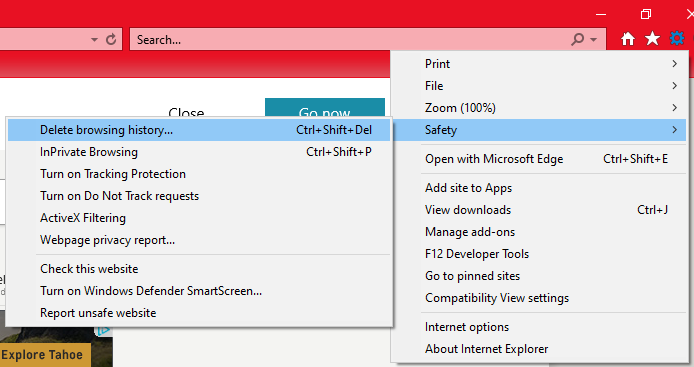
1. Click t he gear icon in the upper right hand corner of the Internet Explorer window. When the menu appears mouse-over Safety. In the next menu, click on Delete browsing history.
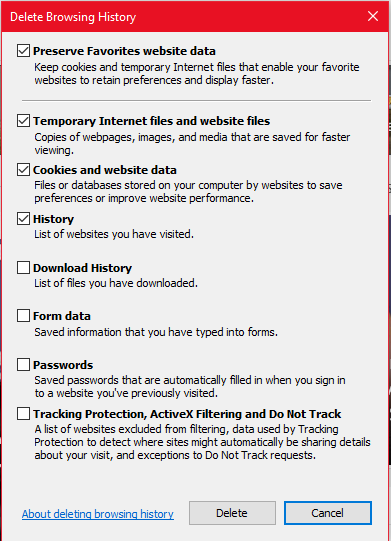
2. in the Delete Browsing History window check the boxes as below, then click the Delete button in the lower right corner.
You will see a pop-up message at the bottom of the window indicating that it was successful. Close Internet Explorer then launch the application again.
The browser cache should be cleared and you can continue on to your website.
Comments
0 comments
Please sign in to leave a comment.