
Follow these steps to clear your cache in Chrome.
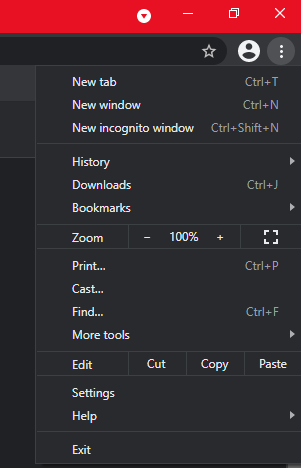
1. Click the 3-dots under the X button in the upper right hand corner of the browser window. When the menu appears click on Settings.
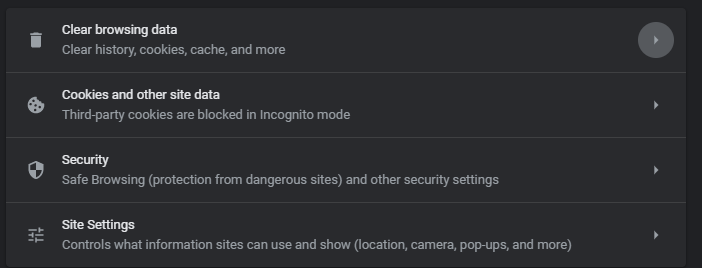
2. Scroll down to the section Privacy and security and click on Clear browsing data.
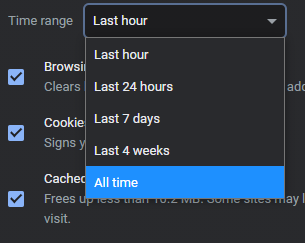
3. Click the drop down menu next to Time Range and select All time.
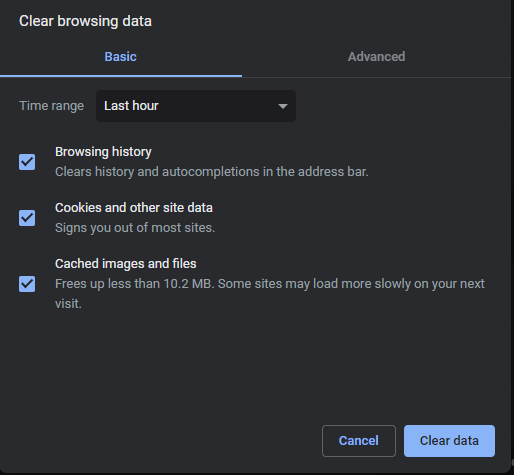
4. Click the three checkboxes as below then click the Clear data button in the lower right.
5. Restart Chrome; your cache should now be clear of old data.
Comments
0 comments
Article is closed for comments.